

Virtual machines
Fast, safe VMs your customers create themselves.
KVM virtual machines on Debian 13, created in a minute from the org console or the API. Encrypted from the first byte, watched while they run, and back on their feet after every restart.
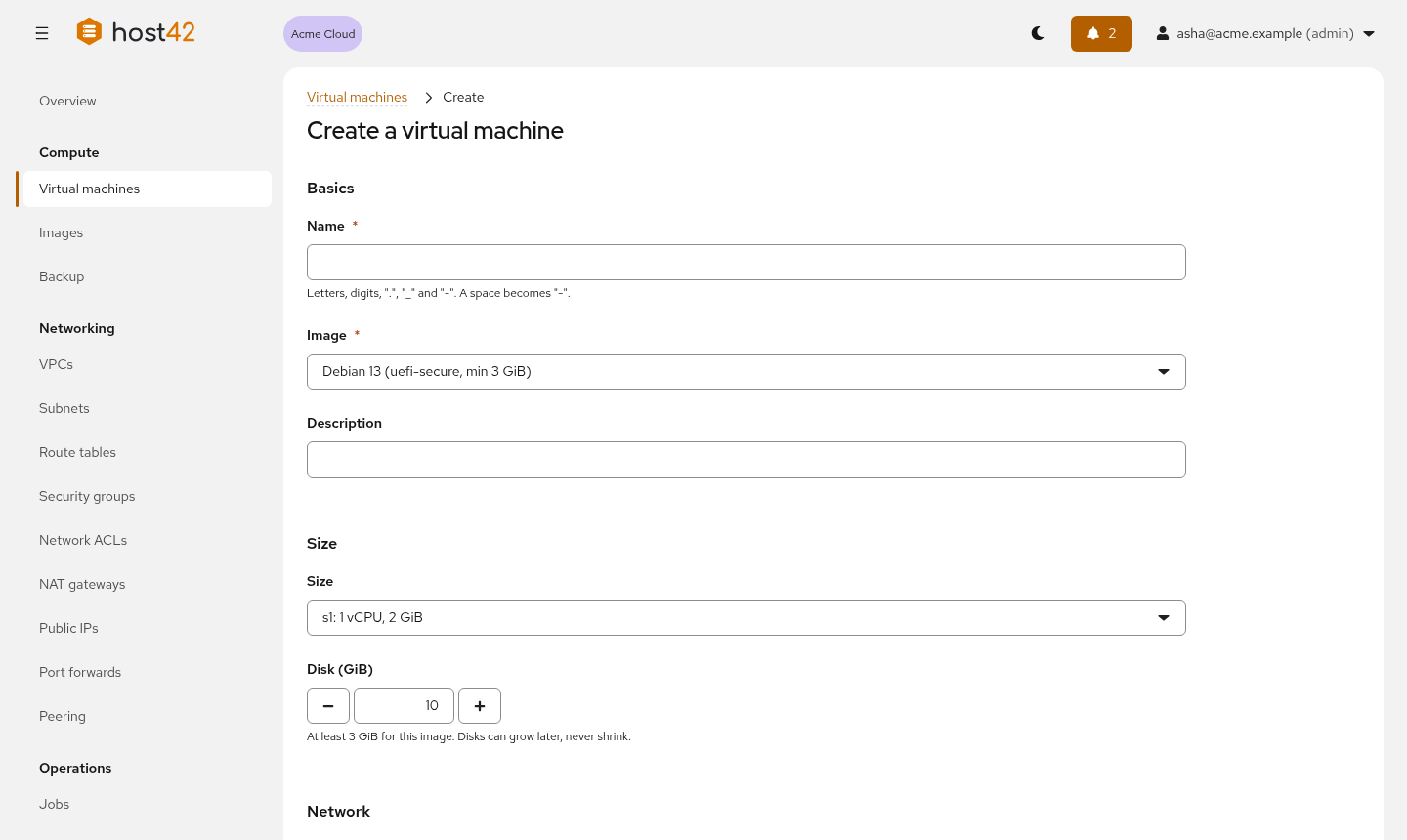
What you get
Everything a workload needs
Sizes that fit
Ready sizes from 1 vCPU and 2 GiB to 16 vCPUs and 32 GiB, or any custom size up to 64 vCPUs and 1 TiB of RAM.
Disks that grow
Thin-provisioned disks from 1 GiB to 64 TiB that grow when you need them. Each disk has fair limits on IOPS and throughput, so one VM cannot starve the rest.
Encrypted from the start
Every new VM's disk is encrypted at rest with its own AES-256 key. There is no unencrypted option to forget.
Secure Boot by default
UEFI with Secure Boot is the default; UEFI without it, or BIOS, where an image needs it. Fixed per VM, so a guest never sees its firmware change.
Up to four network cards
Add or remove network cards on a running VM, each with up to five security groups and four extra addresses.
Snapshots and rollback
Take a snapshot, with the guest's file systems frozen for consistency when its agent answers, and roll back in one step, keeping or discarding newer snapshots.
Console in the browser
Open a VM's screen in a browser tab. Each console ticket works once, for one VM, for 60 seconds.
A curated image catalogue
Checksum-verified images, such as the Debian 13 cloud image, added on the host. Orgs pick from them, and can rebuild a VM from an image.
Ready at first boot
SSH keys, a hostname and the org's own start-up configuration, up to 32 KiB, are applied when the VM first starts.
Everyday control
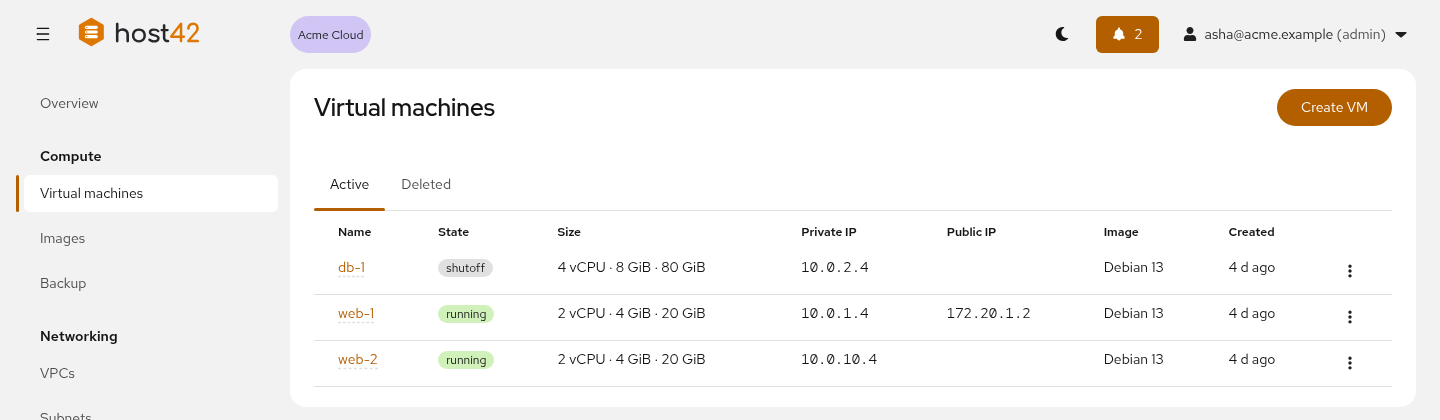
All your VMs at a glance
Every VM shows its state, size, addresses and image. Start, shut down, reboot or power off from the list or the VM's page; every action runs as a recorded job you can follow.
- "Shut down" asks the guest politely, every 10 seconds for up to 3 minutes
- A deleted VM can be restored for 7 days, with a notice the day before it is purged
- Changes made outside the console are spotted within 30 seconds and recorded, never silently undone
Reliability
VMs that look after themselves
- Back after every restartAfter a host restart or a power cut, every VM comes back as it was: running VMs start, stopped VMs stay stopped.
- Crash noticesA guest kernel crash or an unexpected stop is detected and emailed to the org's admins.
- Shutdowns from insideA shutdown or reboot started inside the guest is noticed and shown, not mistaken for a failure.
- Hardened by defaultNo nested virtualization, no memory page sharing between VMs, and a security profile that fails closed.
- Quotas in real timeEvery new VM is checked against the org's quotas; a refusal names the numbers.
- Backups built inBack up any VM to your NAS and restore it in place or as a new VM (backup and recovery).
Coming soon
CPU groups
Share CPU between VMs that belong together.
Shared vCPU totals Coming soon
Put up to 64 VMs in a group that shares one vCPU total, so a team gets a fixed slice of the server however it splits it.
Counted fairly Coming soon
A group's total counts against the org's vCPU quota. A VM joins or leaves a group at its next stop and start.
Talk to us
See host42 on your own hardware
Tell us about your server and your customers. We show you host42 working and tell you what it costs.
- Sales and partnersinfo@padminisys.com
- Supportsupport@padminisys.com
- Phone+91 98675 11843
- OfficePadmini Systems Private Limited, Mumbai, Maharashtra, India