

Orgs and consoles
Many customers, one server, nobody in each other's way.
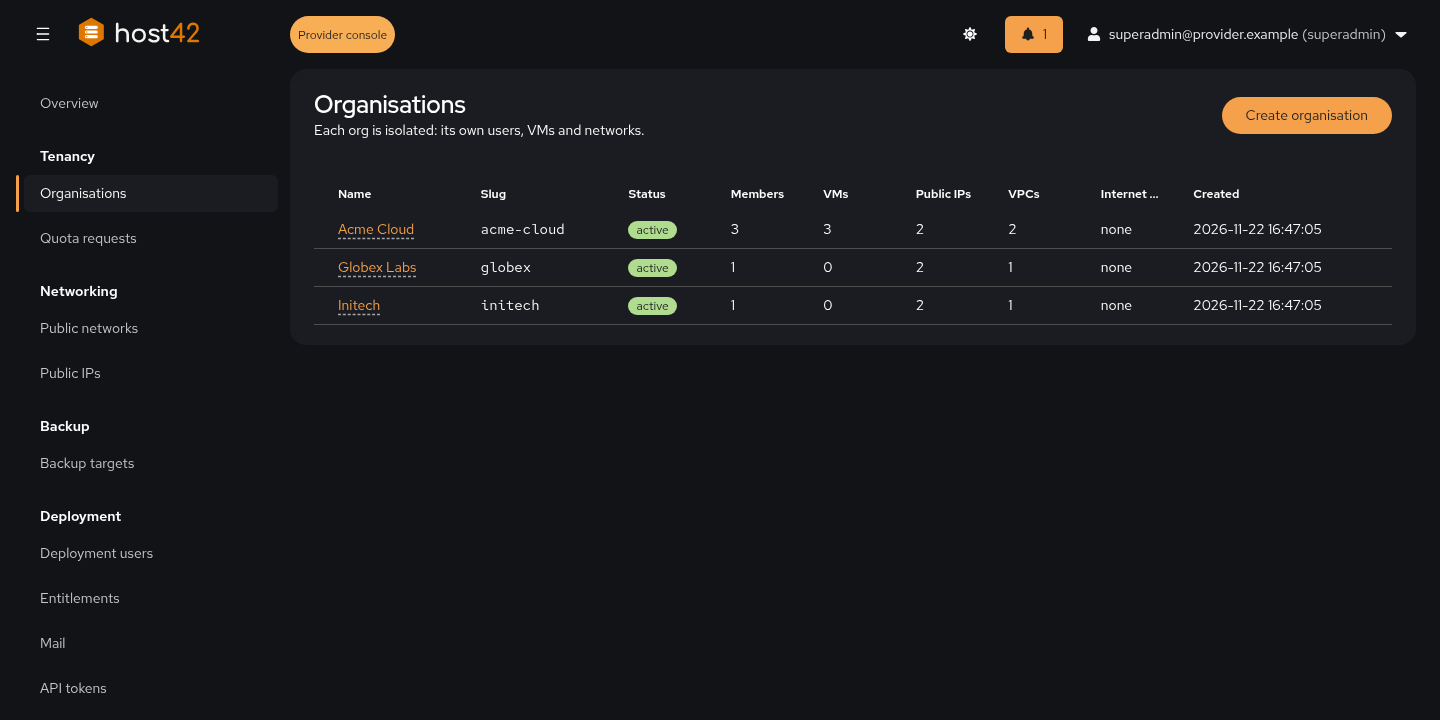
Every customer or department gets its own organisation: its own users, VMs, networks and quotas, in its own console. You run the server; they serve themselves.
Multi-tenant by design
Built for sharing a server safely
Isolated organisations
Each org has its own users, VMs, networks and backups. Another org's objects simply do not exist for it, and every build tests that.
Two consoles
Orgs work in the org console on one public address for all orgs. The provider works in the provider console, on the private management network only.
Five fixed roles
Superadmin and read-only for the provider's staff; admin, operator and read-only for org members. Clear, tested and the same everywhere.
Quotas and requests
Eight quotas per org, enforced hard. Org admins ask for more in the console; the provider approves or refuses with a reason.
Usage for billing
Usage is recorded as time intervals per org, ready for your billing, and the org profile holds GSTIN and PAN.
Notices
A bell in both consoles and email for what matters: quota warnings, crashed VMs, failed backups, provider actions.
Who can do what
Five roles, two scopes
Permissions are checked on every request and tested for every role in every build.
- Org adminEverything in the org: VMs, networks, backups, members and service accounts, internet access, peering, the inline firewall, VM keys, quota requests and recovery contacts.
- Org operatorRuns the workloads: VMs and their consoles, networks, public IPs, port forwards, backups and restores, jobs.
- Org read-onlySees everything in the org and changes nothing. Cannot open a VM's console.
- Provider superadminCreates orgs and sets their quotas, decides quota requests, allocates public IPs, adds backup targets, suspends and resumes orgs. Sees each org's shape, never its contents, and cannot act as an org user.
- Provider read-onlySees everything the superadmin sees and changes nothing.
- Service accountsUp to two per org, as operator or read-only, with API tokens only and no console sign-in. They do not count as members.
Members
Teams that manage themselves
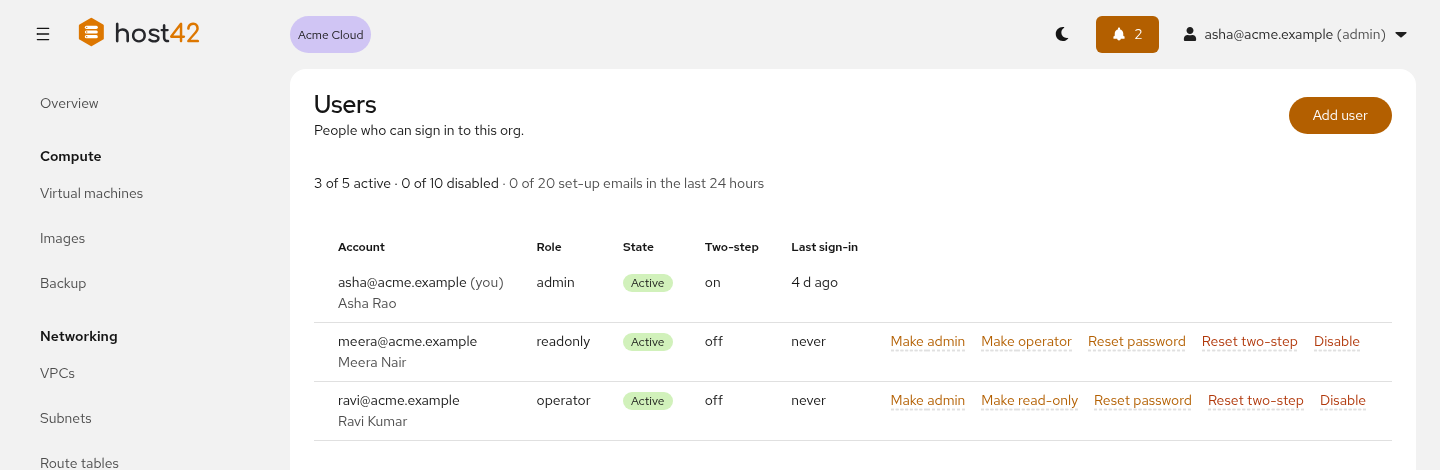
Org admins invite members by email, choose their role, reset a password or a two-step device, and disable an account, all without calling the provider.
- New members join through an emailed set-up link, with two-step from the first sign-in
- A removed account can be restored for 7 days
- Every change to members is in the org's audit trail
Quotas
Fair shares, and room to sell more
Eight quotas
VMs, vCPUs, RAM, disk, snapshots per VM, members, service accounts and VPCs. A refusal always names the numbers.
An even share to start
A new org gets an even share of the server. Selling more than the server holds needs an explicit confirmation from the provider.
Warnings before limits
Orgs are warned at 80, 90 and 100 % of a quota, in the console and by email.
Requests in the console
Org admins ask for more with a reason; the provider sees the server's capacity, approves, changes or refuses, and the org is told.
Org profile
Ready for Indian billing
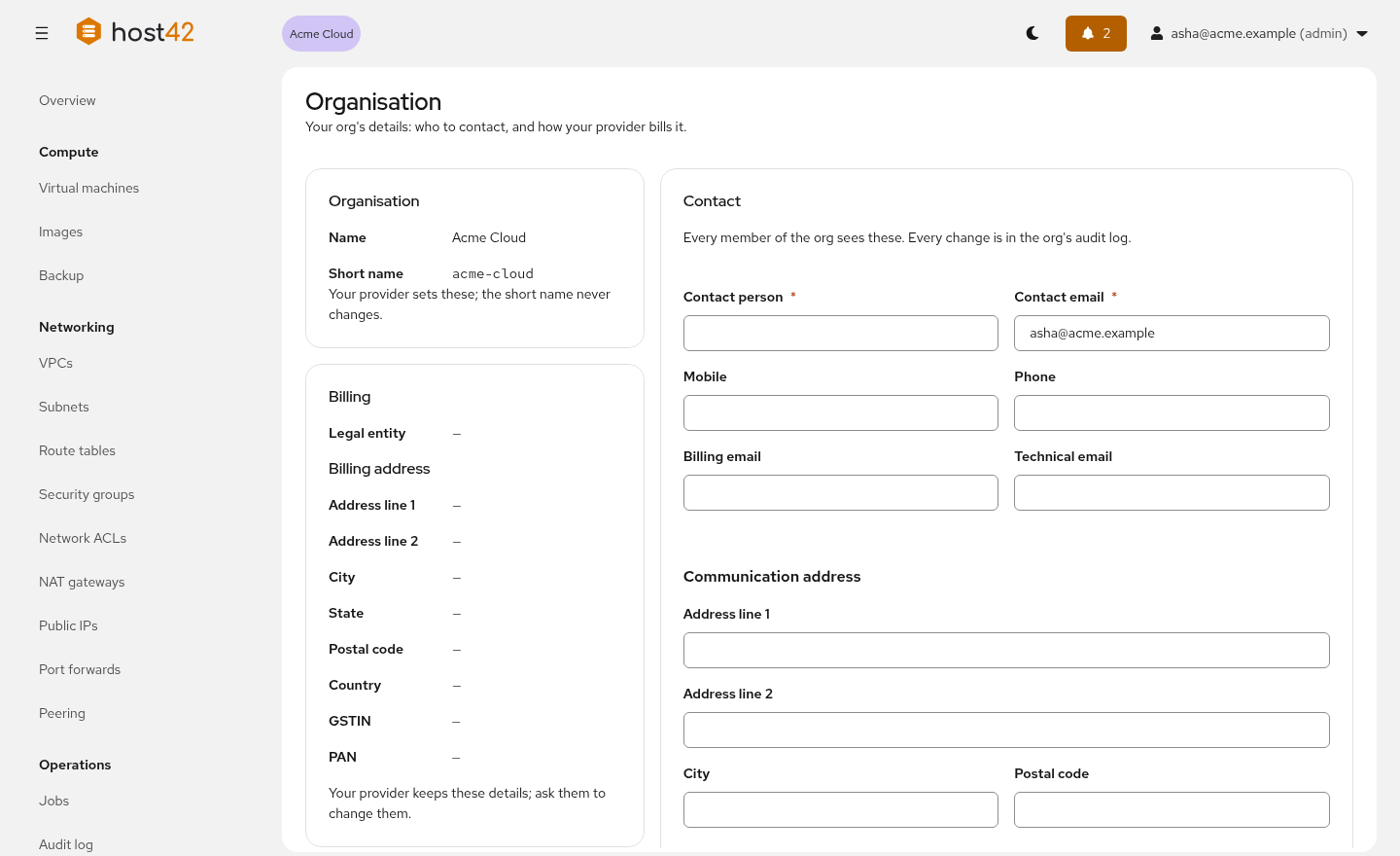
Each org has a profile with its contact people and addresses, plus the billing details only the provider edits: legal entity, billing address, GSTIN and PAN.
- GST state list, 6-digit PIN codes and the PAN format checked
- The GSTIN's check character, state code and PAN must match
- Every change audited with the old and the new value
Lifecycle and recovery
Safe at every step of an org's life
- Suspend and resumePause an org, and optionally stop its VMs; its data is never touched.
- Delete with two approvalsDeleting an org needs two superadmins to agree, and a newly added superadmin cannot approve for 7 days, so no single account can wipe a customer.
- Restore within 30 daysA deleted org can be restored for 30 days before it is purged.
- Account recoveryEach org names up to two recovery contacts. Recovering an org's admin needs a check and the approval of two different superadmins, and members can object.
- Provider safety actions onlyThe provider can power off a VM or quarantine an address, with a reason the org sees, but never sign in as the org.
- Limits per serverTen orgs per server by default, up to twenty; five members per org by default, up to twenty.
Coming soon
Next for orgs
Private-only org console Coming soon
One switch closes the org console's public address for the whole server; users reach it privately through a VPN such as gate42's.
Retention rules Coming soon
Usage kept 400 days for billing, the audit trail at least 400 days, jobs 180 and traffic 90, longer if the provider wants.
Talk to us
See host42 on your own hardware
Tell us about your server and your customers. We show you host42 working and tell you what it costs.
- Sales and partnersinfo@padminisys.com
- Supportsupport@padminisys.com
- Phone+91 98675 11843
- OfficePadmini Systems Private Limited, Mumbai, Maharashtra, India