
Networking
Networking like the big clouds, on your own server.
Every org gets its own private networks, with the building blocks your team already knows. They design them in the console; host42 keeps them apart and safe.
The building blocks
Everything to design real networks
Self-service for every org, in their own console and through the API.
VPCs
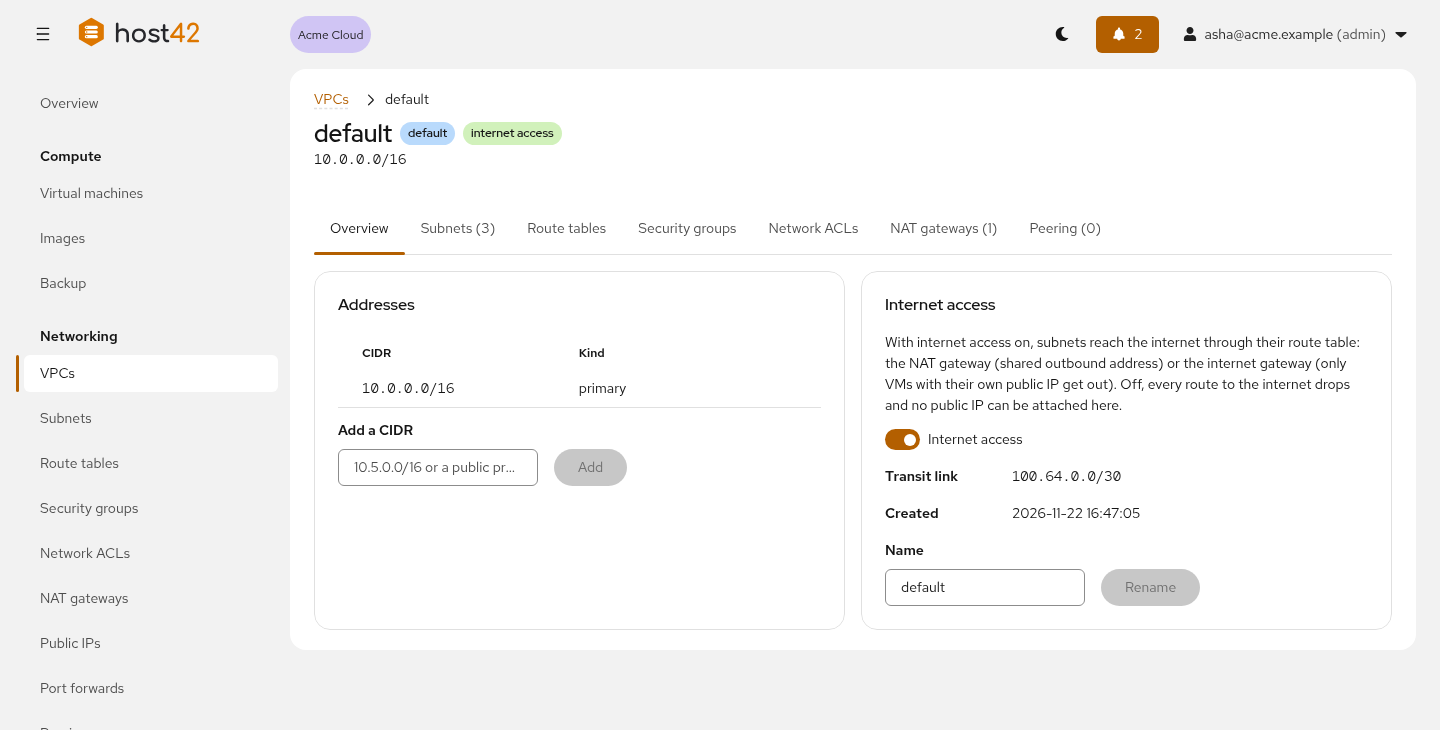
Private networks per org, with up to five address ranges each. Orgs may even use the same addresses as their neighbours.
Subnets
Up to 16 per VPC, private or public, sized from /16 to /28.
Route tables
Send traffic to the internet, a NAT gateway, a firewall VM, a peered VPC, or drop it.
Security groups
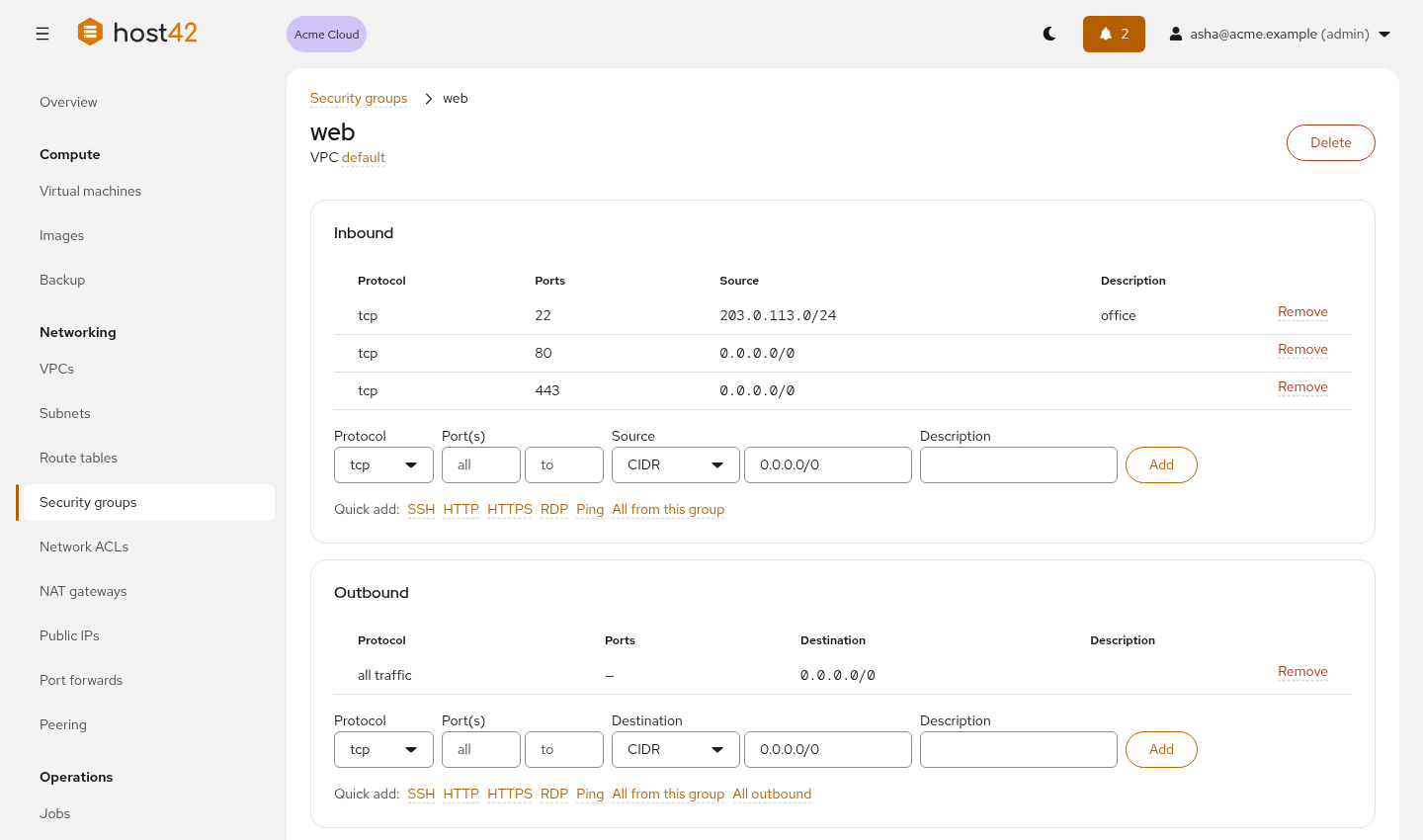
Stateful rules on every network card. The default lets nothing in, not even from the same group.
Network ACLs
Ordered allow and deny rules at the edge of each subnet, checked before security groups.
NAT gateways
Private VMs reach the internet through one shared public address, or through a NAT instance you run.
Public IPs
1:1 NAT, straight on a VM's interface, behind a NAT gateway, or as port forwards for TCP and UDP.
Peering
Connect two VPCs of the same org, explicitly and without transit.
Inline firewall
Send traffic between chosen subnets through a firewall VM such as gate42. If the firewall stops, traffic stops.
Security groups
Firewall rules anyone can read
Rules are written the way people think about them: protocol, ports, and who may connect. Quick-add buttons cover SSH, HTTP, HTTPS, RDP and ping. A VM can carry up to five groups on each of its four network cards.
- Stateful, so replies always find their way back
- Inbound closed by default; outbound rules are yours to set
- Every change recorded in the org's audit trail
How it fits together
Many orgs, one edge, no crossed wires
Each org's networks are separate from every other org and from the host itself. The edge connects them to the internet with the provider's public addresses.
Built for providers
Safe by default, for you and your neighbours
- Anti-spoofing on every VPCVMs can only send from addresses they own; private ranges never leak to the internet.
- Outbound mail controlledPort 25 is closed by default to protect your addresses' reputation, with an exception per address when a customer needs it.
- QuarantineIsolate an abusive address or network card in one step, with a reason the org can see.
- Changes that cannot lock you outEvery network change is backed up first, and a change to the host's own network rolls back by itself unless you confirm it.
- Bandwidth limitsA limit per network card and an internet limit per org, with traffic counters.
- Public IPs from your blocksAllocate single addresses or whole prefixes to orgs from on-link subnets or routed blocks.
- Management stays privateThe provider console and host access never answer on a public address; the host's own check fails if they do.
- Limits that fit real workloadsPer VPC: 16 subnets, 8 route tables of 50 routes, 50 security groups of 60 rules, 8 ACLs, 2 NAT gateways.
Coming soon
Next for networking
Bonded links Coming soon
Two network ports working as one for the management, uplink and storage networks, so a cable or switch port can fail without downtime.
Private-only org console Coming soon
One switch closes the org console's public address for the whole server; users reach it privately through a VPN such as gate42's.
Better together
host42 hosts. gate42 guards.
Run gate42 as a VM in an org and route its networks through it for a full firewall with intrusion prevention, web filtering and VPN. It uses host42's appliance network cards, routes to a VM and the inline firewall.
Talk to us
See host42 on your own hardware
Tell us about your server and your customers. We show you host42 working and tell you what it costs.
- Sales and partnersinfo@padminisys.com
- Supportsupport@padminisys.com
- Phone+91 98675 11843
- OfficePadmini Systems Private Limited, Mumbai, Maharashtra, India